This is the biggest update since launch. Theme Studio now speaks your language, you can share the themes you make, and there are four new widgets.
Theme Studio in your language
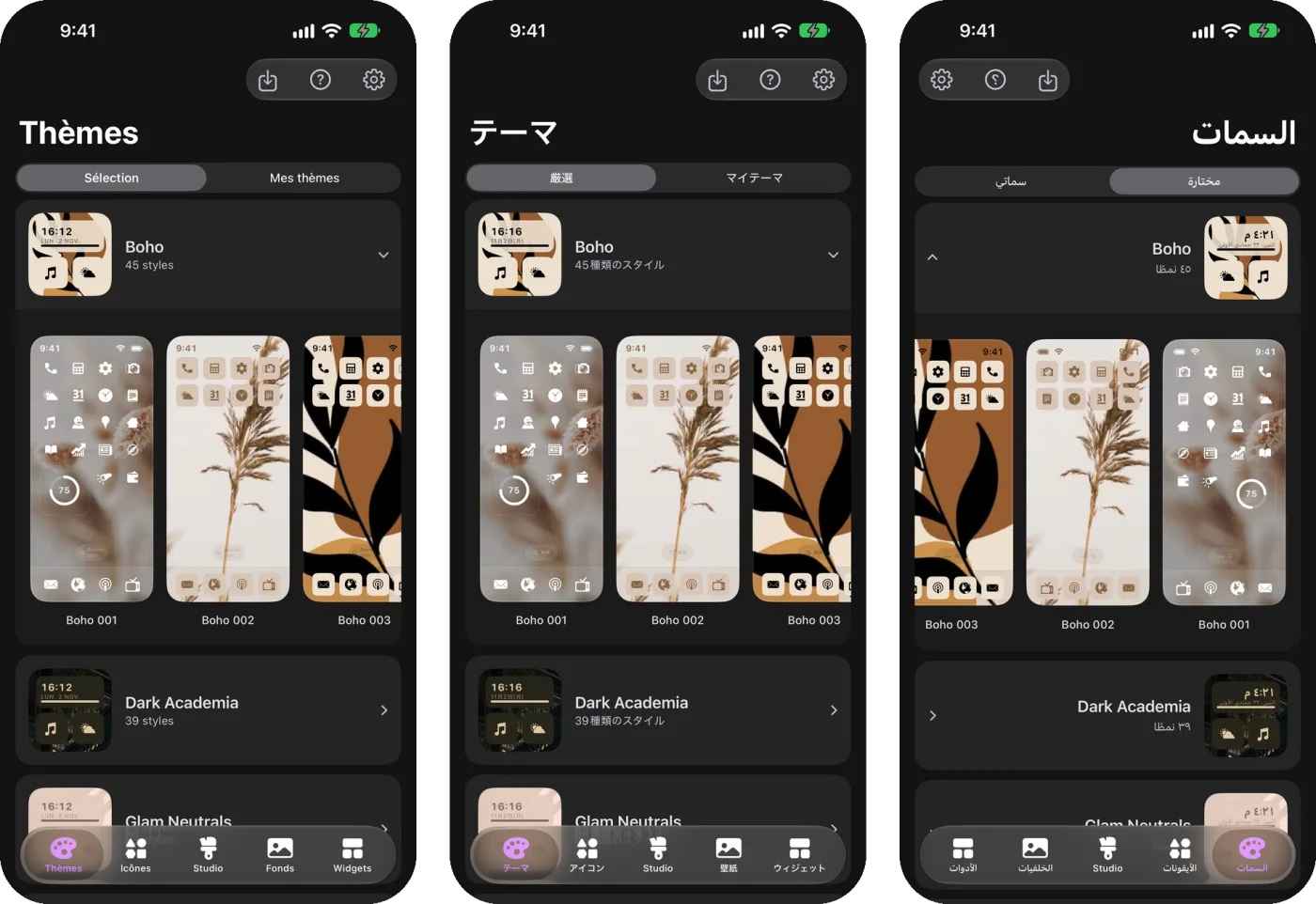
The whole app is now available in French, German, Spanish, Portuguese, Italian, Japanese, Dutch, Polish, Turkish and Arabic. It follows your iPhone's language automatically. In Arabic, everything mirrors from right to left, including the Home Screen layouts in Studio, so what you design matches what you see on your phone.
Share your themes
Made a look you love? Now you can share it. In the Themes tab, open My Themes, press and hold one of your saved themes and tap Share Code & Link. You can also tap the share button on its preview.
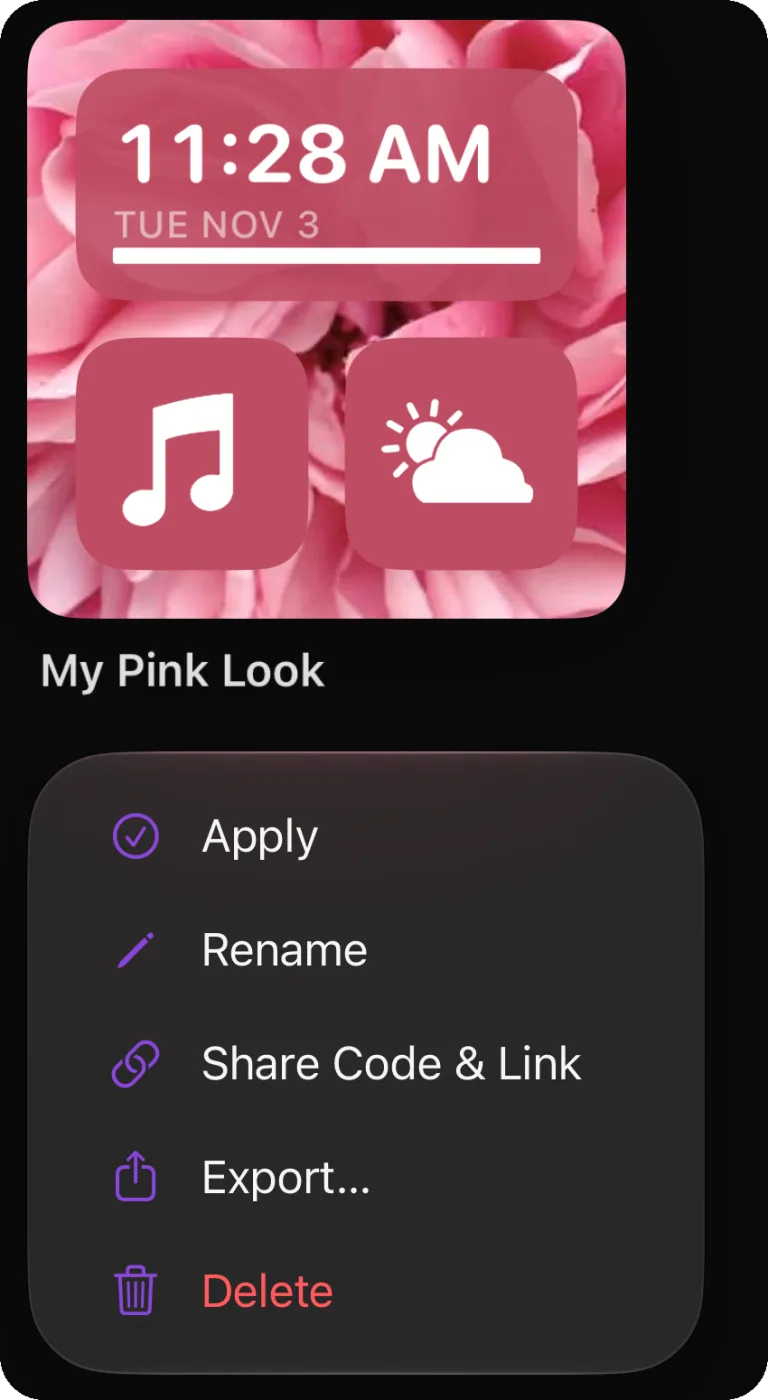
You get a short code and a link like themestudio.co/t/ followed by the code. Anyone can type the code into the Themes tab, or open the link in Theme Studio or any browser, and get your theme with its wallpaper, icons and widgets.
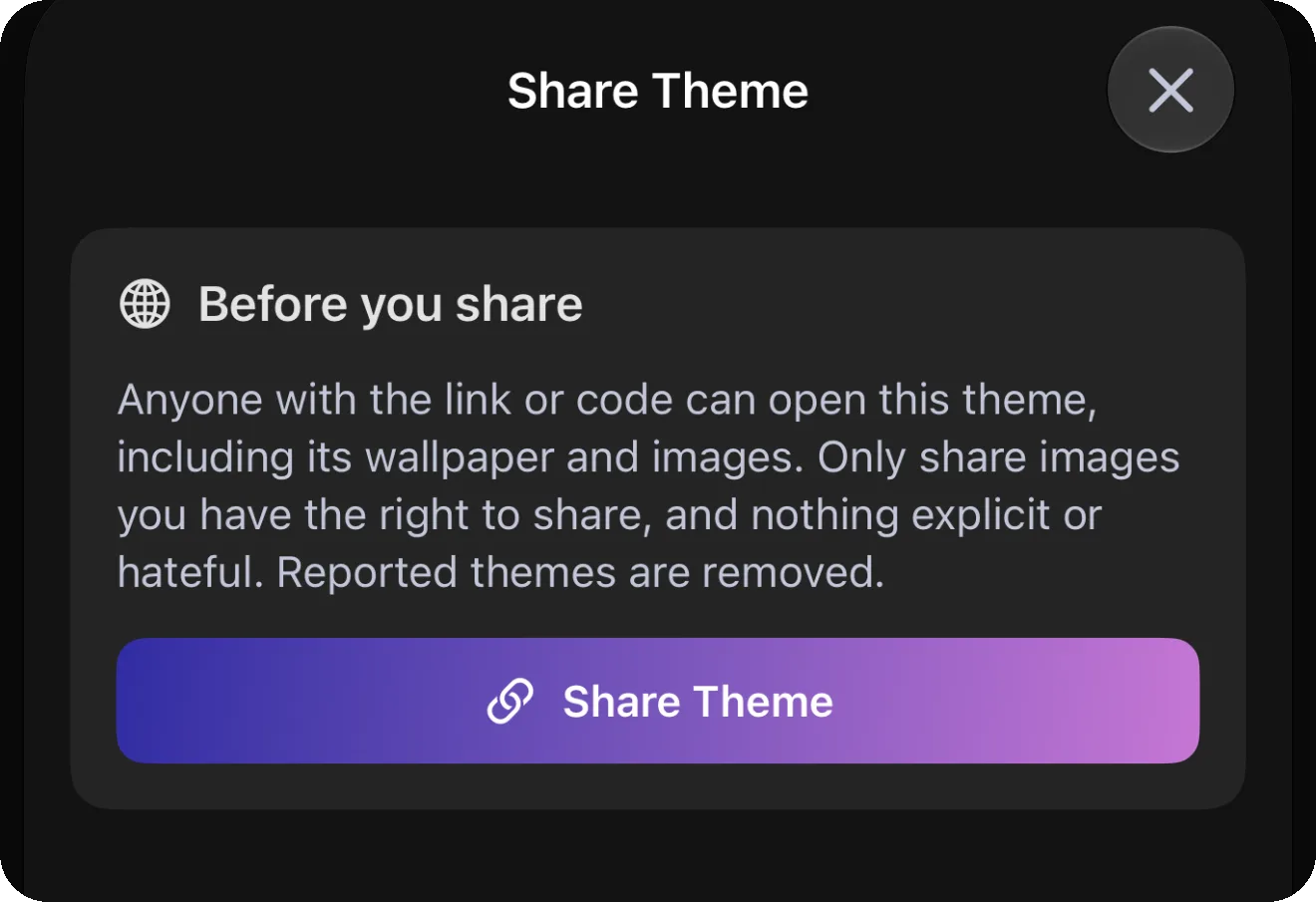
Links last a year after the last download. You can see everything you've shared, and delete a share at any time, in Settings > Shared Themes.
Four new widgets
A lot of you have been sending me home screens with small, detailed widgets that show a little of everything, so this update brings four new ones built for exactly that.
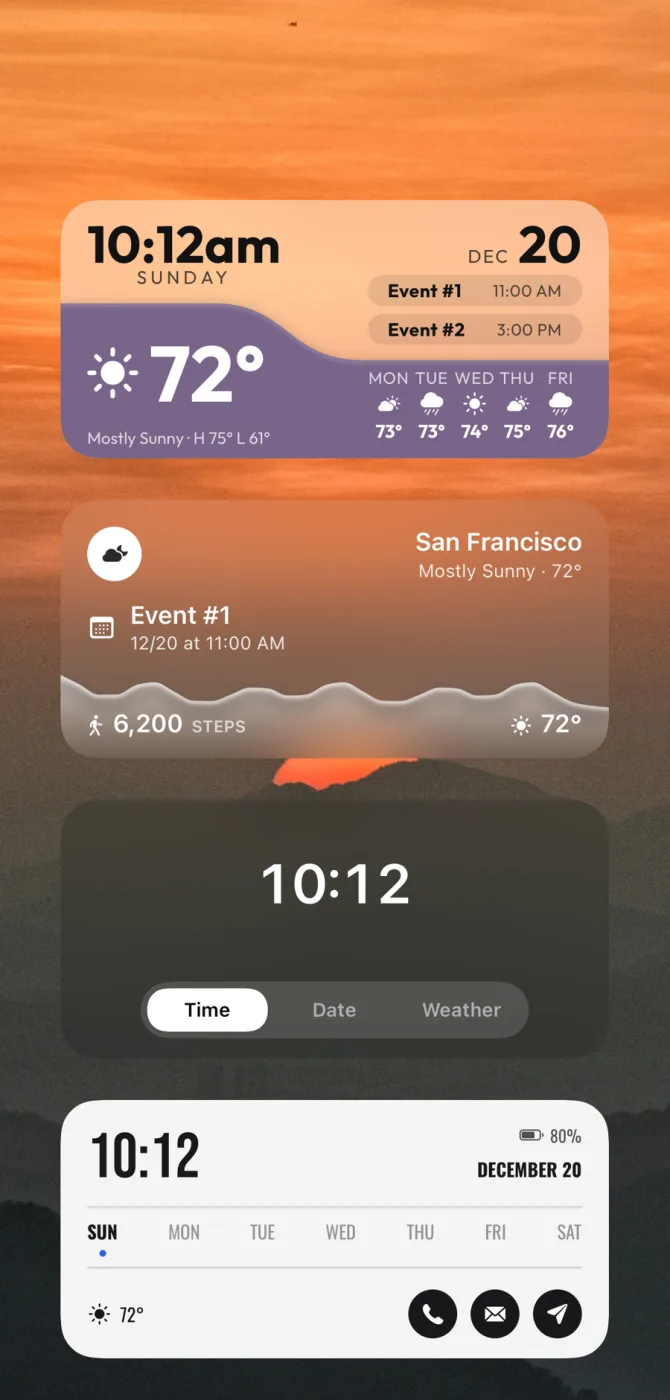
- Tabs: tap a tab right on your Home Screen and the widget switches to it: the time, the date, the weather, your battery, a quote and more. There are seven tab styles, and Medium and Large tabs can hold two things at once.
- Flow: the time, today's events and the weather, with a flowing panel in your theme's color. Make it solid, glass or embossed.
- Contour: the weather and your next event, with a smooth graph of your steps, the temperature or the chance of rain.
- Almanac: a big clock, the week at a glance, the weather and round buttons that open your favorite apps.
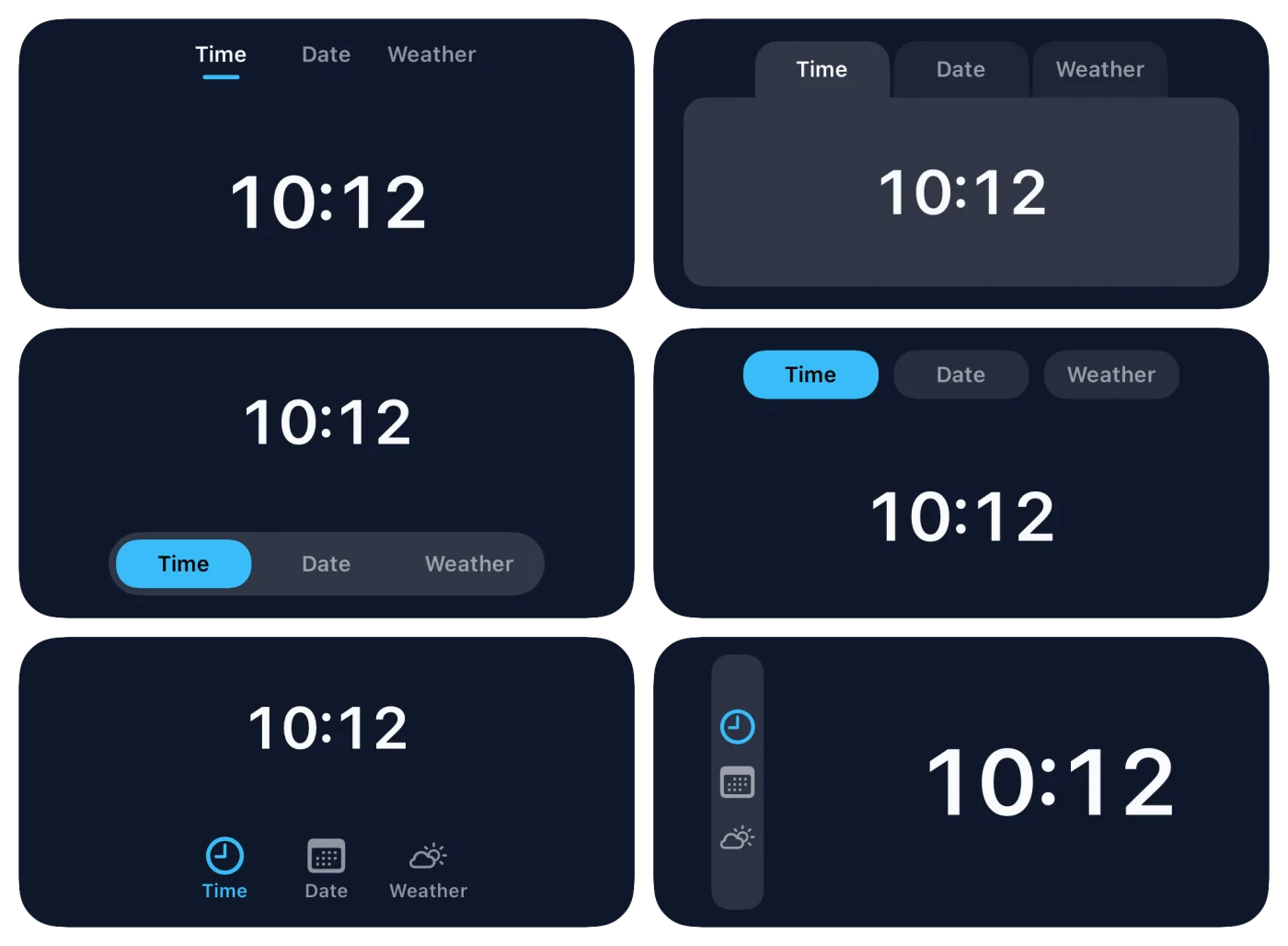
Like every Theme Studio widget, you can adjust every size, gap and color, and they pick up your theme's colors automatically. The new widgets are part of Theme Studio Pro.
New app icons
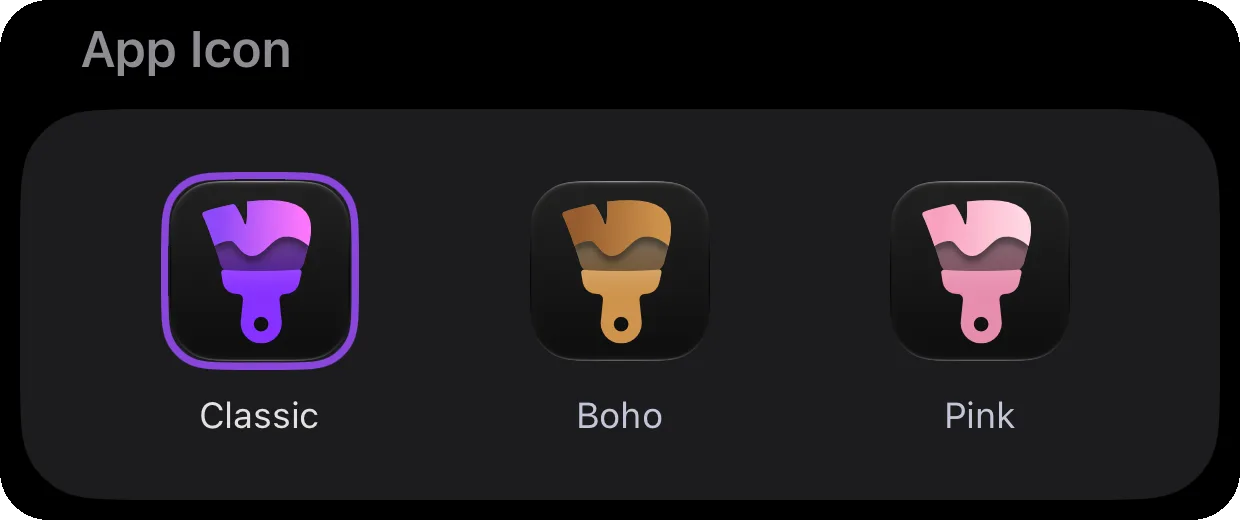
Theme Studio itself now comes in three colors. Pick Classic, Boho or Pink at the top of Settings.
Fixes and polish
- Theme previews have sharper icons.
- The Graph widget's weather chart no longer shrinks to a couple of hours or says "Weather unavailable" after a while.
- The Weather widget's hourly forecast always starts at the current hour.
- The Sun Position widget now shows today's sunrise and sunset all evening, instead of jumping to tomorrow's. Its Half Arc with mountains style has been retired; widgets that used it now show the plain Half Arc.
Get it
Update Theme Studio from the App Store and try sharing your favorite theme.