The Bakery makes your icons look like they're cut out of your wallpaper. In 1.2 you can blur what shows through them!
There's a new Icon BG Blur toggle in the Bakery, right under the page picker. Turn it on and drag the slider. The preview updates while you drag, so you can dial in exactly how much you want. Only the parts behind your icons get blurred. Your actual wallpaper stays sharp, so the icons end up looking frosted, like they're sitting on top of it.
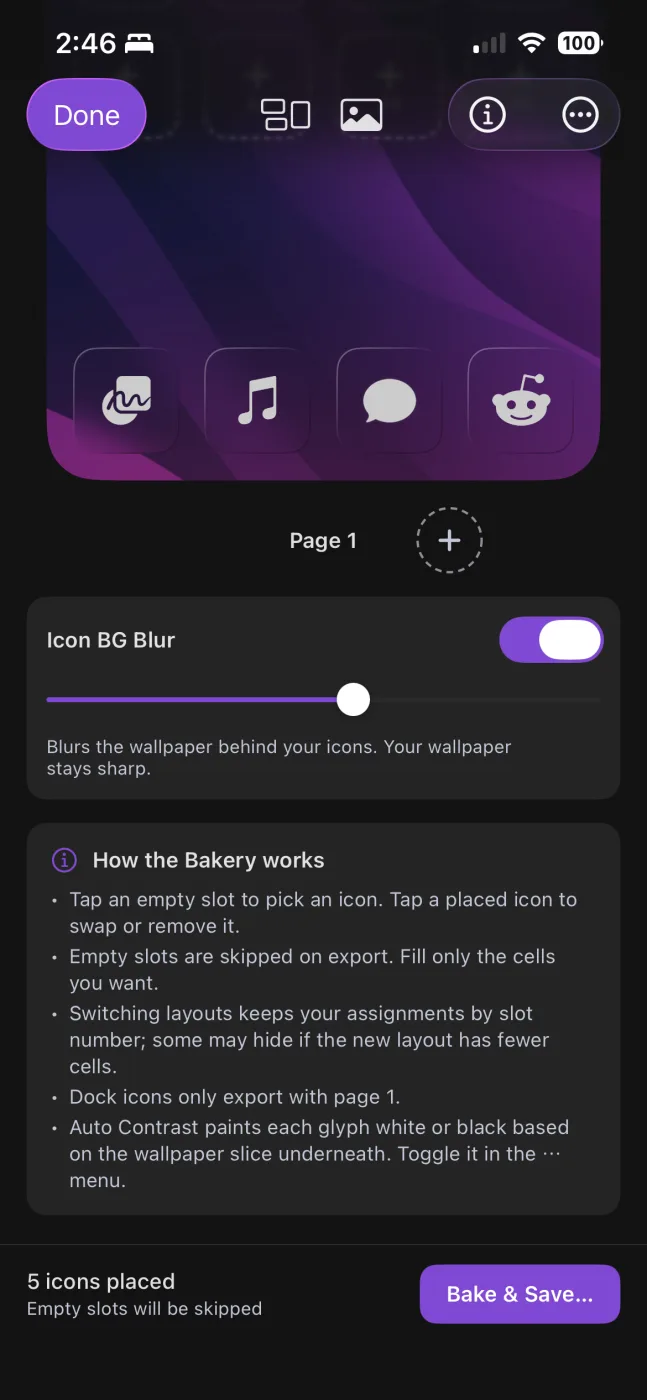
If you're curious how it works, I blur the whole wallpaper once, then cut the icon squares out of the blurred copy. My first try blurred each little square on its own, and every icon ended up with a hard edge around it.
A FAQ, finally
After launch, the same couple of questions kept showing up in my email. The big one was "why did some of my icons turn grey?" That one is iOS itself. In Dark and Tinted mode it recolors custom icons, and there's no way for an app to turn that off. The other one was "can I get rid of the glassy border around my icons?" That's also iOS, and it isn't something I'm able to change.
I didn't want to cram even more text into the app, so the answers are on a new FAQ page, and Settings > Help links right to it. The Shortcuts guide in the app has a short note about Dark and Tinted mode now too.
Managing your subscription
Manage Subscription in Settings now opens a screen right in the app. You can see your plan and when it renews, switch between monthly and yearly, cancel, or ask for a refund, without digging through iPhone Settings.
If you're on monthly or yearly and would rather just pay once, there's an Upgrade to Lifetime button now. One thing to know is that Apple doesn't cancel your subscription when you buy Lifetime. The app reminds you and takes you to the place to cancel it, so you don't get charged twice.
Also, monthly has a 7 day free trial now. That started on September 8 and it's an App Store setting, not part of this update, so you'll see it on any version.